For Mac

Broadcast graphics for your football videos.

The match you filmed from the touchline is a long video with no score, no clock and no quick way to find the goals. Sideline Director adds the score, the match clock and a graphic for every goal, card and substitution. Share the full match, or just the highlights.

Coming soon to the Mac App Store Free to download. Pro is a one-time purchase.
A player in blue about to strike the ball, with the scorebug in the top corner showing KES 2, ASH 1, 19:23 in the second quarter

How it works

  1. Add your clips

    Bring in the videos from your phone or camera. All the clips from a match become one video.

  2. Add the goals and cards

    Watch the match back and add each goal, card and substitution. The score and the clock keep up by themselves.

  3. Export and share

    Export the full match or a highlights video with the graphics in place, ready to share.

Scorebug and clock

A scorebug that follows the match

The scorebug, the score and clock in the corner of the screen, is right at every moment of the video, because it comes from the goals and periods you add. Correct a goal later and the whole video updates.
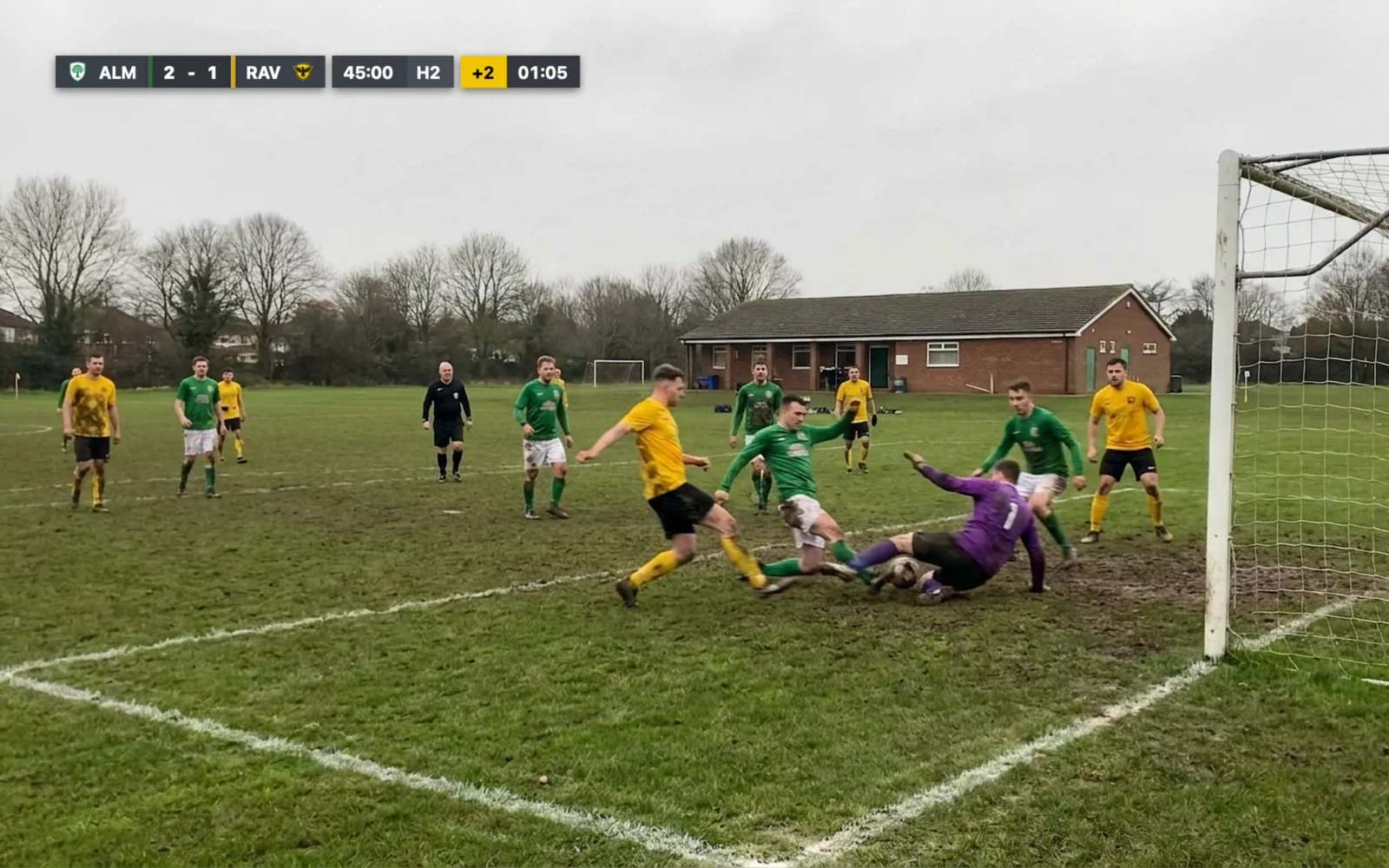
  • Halves, thirds or quarters, with extra time and penalty shootouts.
  • Works even when your footage starts after kick-off.
  • Three ready-made layouts, or design your own in your teams’ colours and crests.
A goalmouth scramble, with the scorebug in the top corner showing ALM 2, RAV 1, 45:00 in the second half and 2 minutes of stoppage time

Match events

A graphic for every goal, card and substitution

Each moment you add appears on screen as it happens, with the names of the players involved.
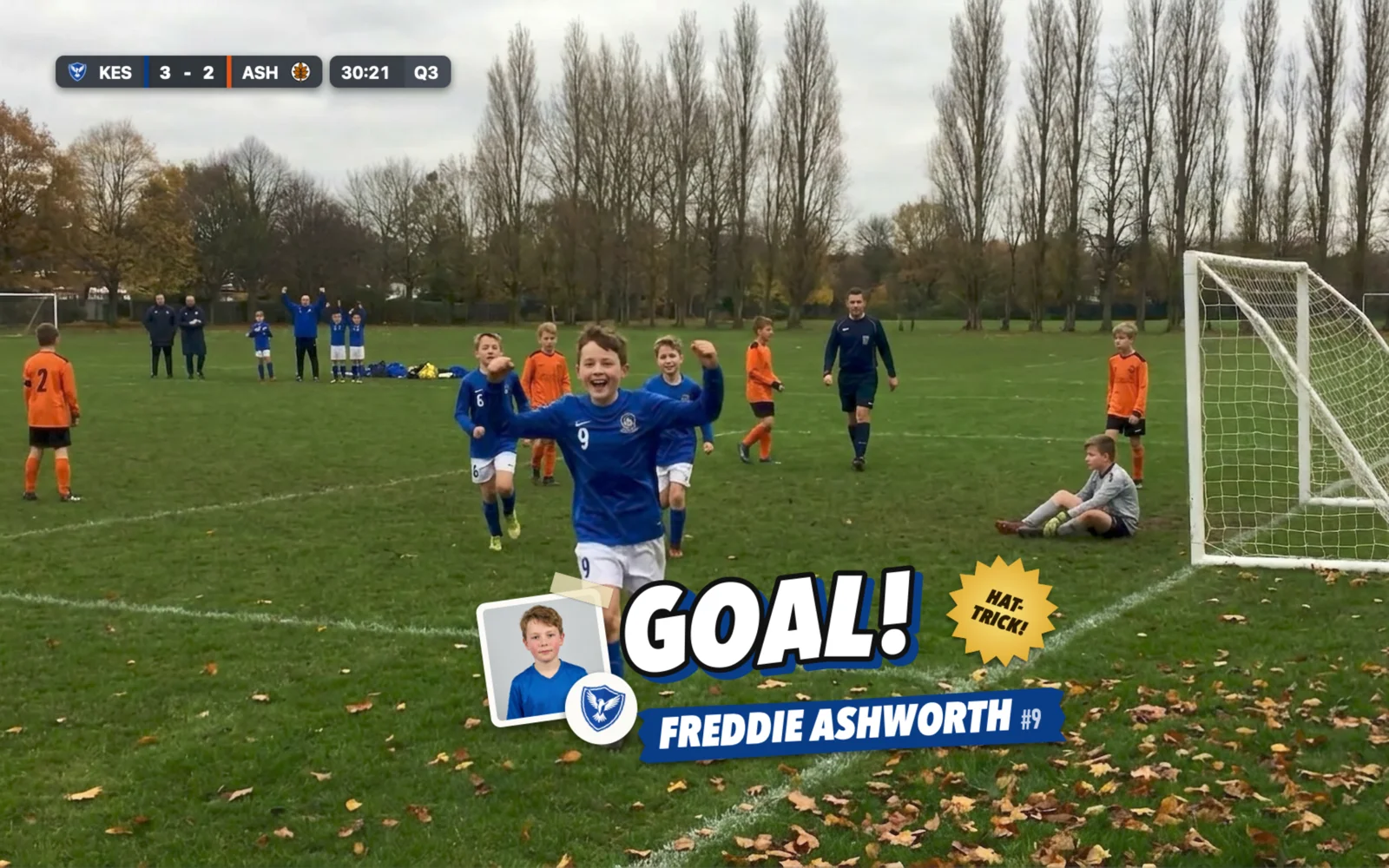
  • Goal celebrations in four styles, and a badge for a hat-trick.
  • A list of the goal scorers, with the minute of every goal.
  • Substitutions, yellow and red cards, and a penalty shootout display.
The goal graphic for a hat-trick over the video: GOAL!, the scorer’s photo, name and shirt number, and a hat-trick badge, with the scorebug showing KES 3, ASH 2

Quick to use

Add a goal in seconds

Fast-forward through the quiet spells, then add each goal, card or substitution with a few keystrokes.
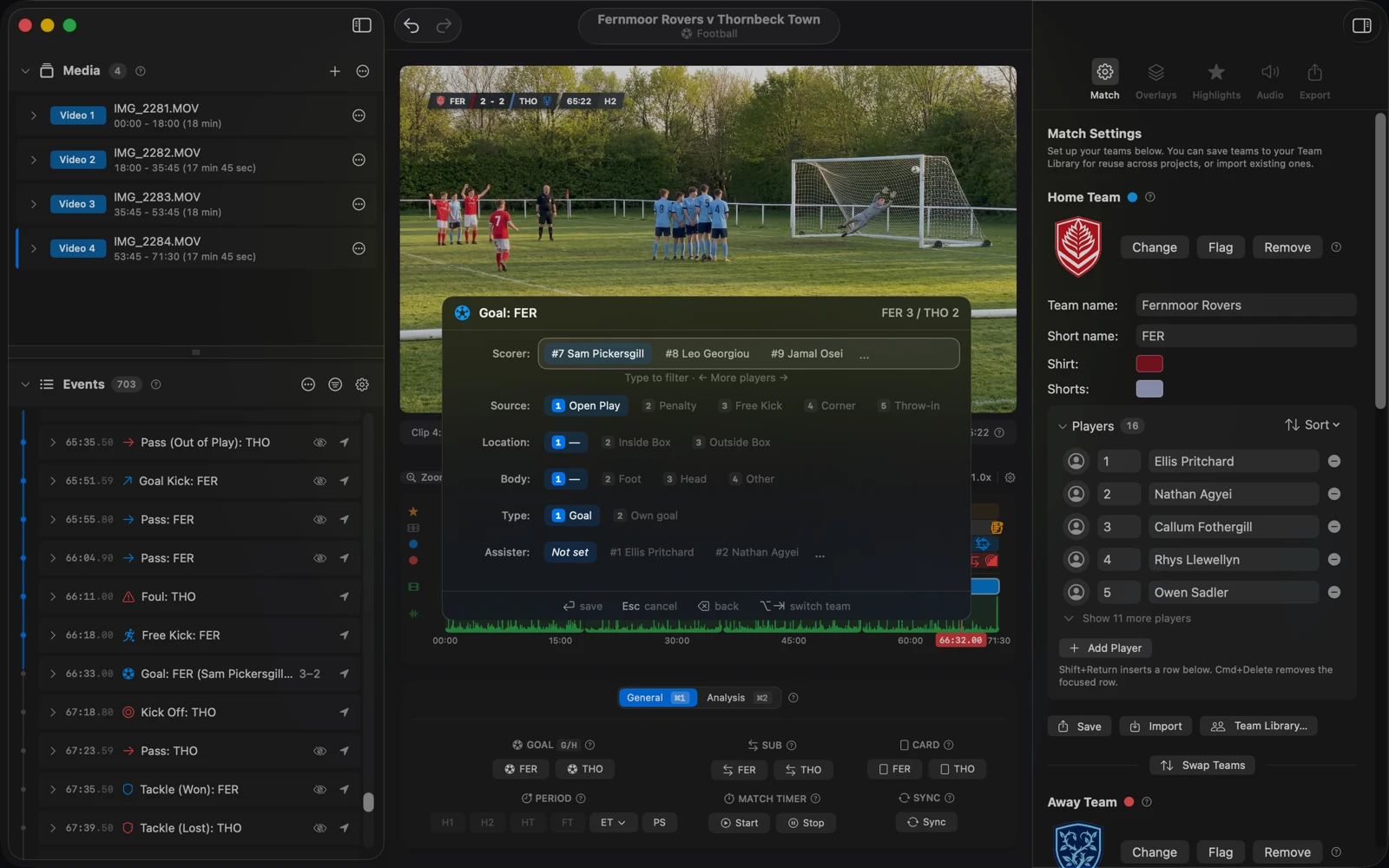
  • Each goal updates the score, the goal graphic, the scorers list and the highlights at once.
  • Note the scorer, the assist and how each goal was scored.
The Sideline Director window with the goal panel open over the video and a scorer chosen, the events list on the left and the timeline below

Teams and title cards

Teams, line-ups and title cards

Set up each team once, with its crest, kits and players, and use it in every match you film.
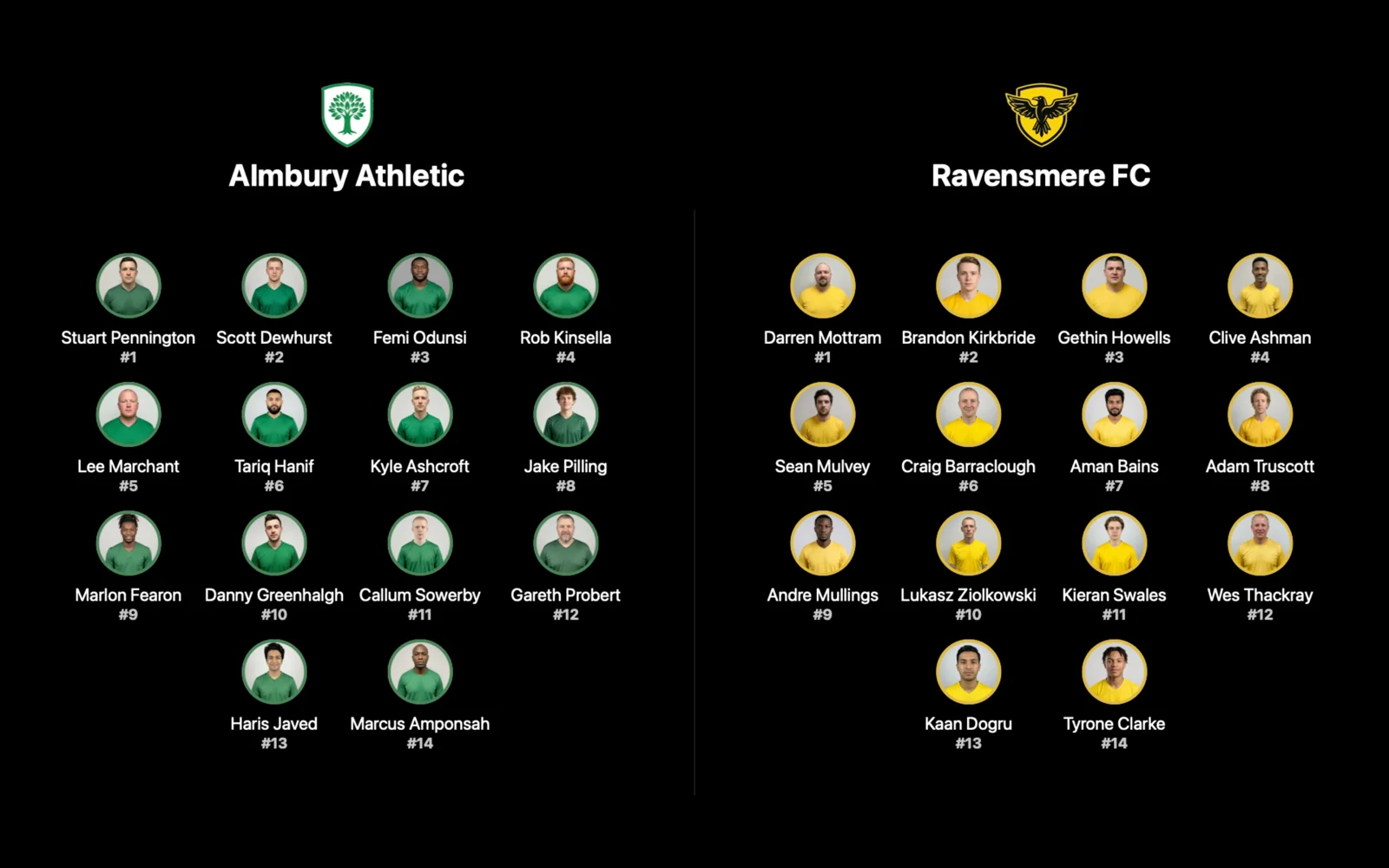
  • Title cards to introduce the match and both line-ups, with player photos.
  • Save the line-up card as an image to share before the video.
  • Keep your look from match to match with presets.
A line-up title card with both teams’ crests and names, and the photo, name and shirt number of each of their fourteen players

Highlights

Highlights without any editing

Every goal, red card and penalty you add becomes a highlight. Export them as one highlights video.
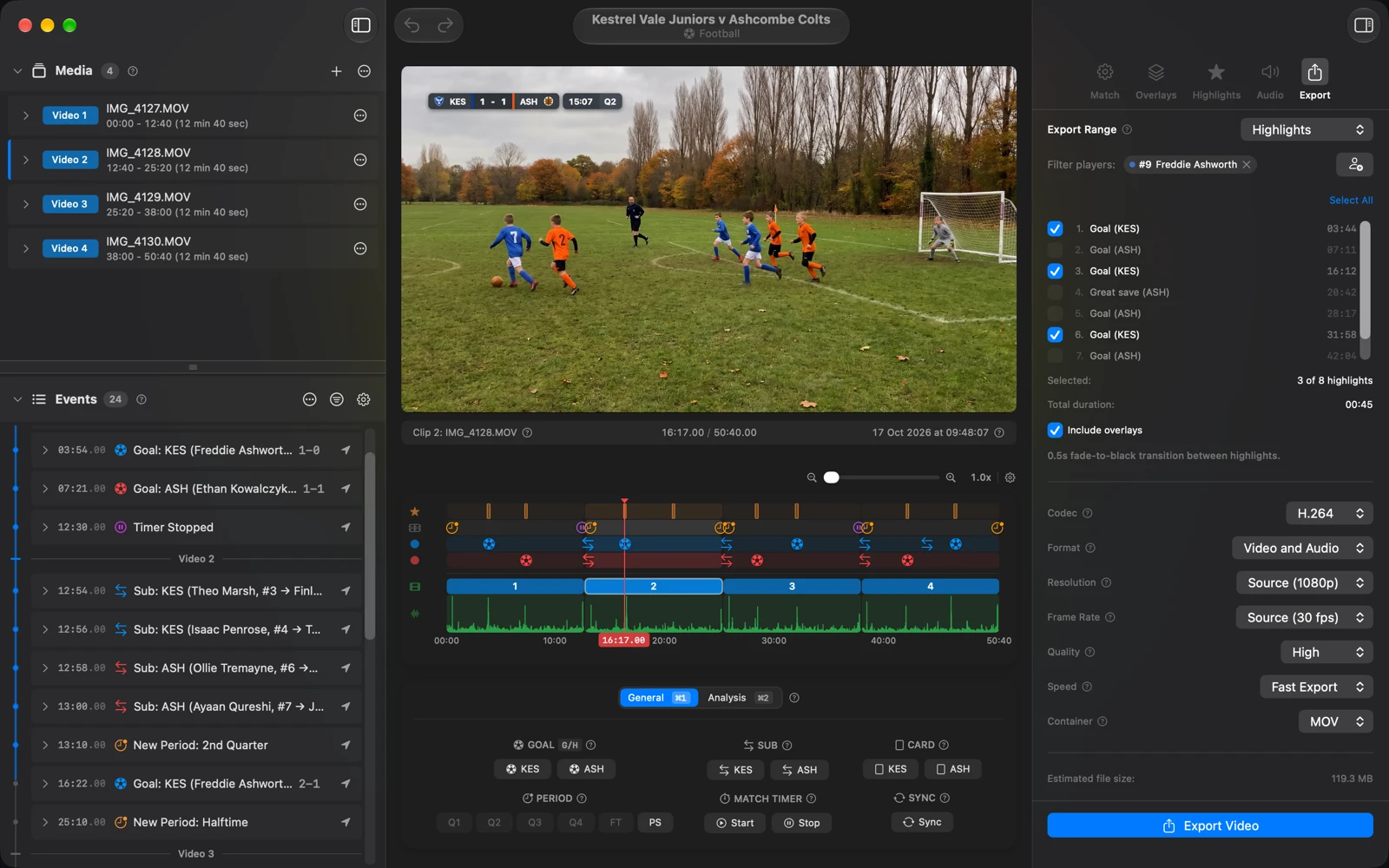
  • Add the near misses and great saves too.
  • Make a highlights video for a single player.
The Export panel set to Highlights, filtered to one player and selecting three of eight highlights, beside the video and the timeline

Analysis Pro

Match analysis and statistics

With Pro, track passes, possession, shots, tackles and set pieces as you watch, and Sideline Director keeps the numbers for both teams.
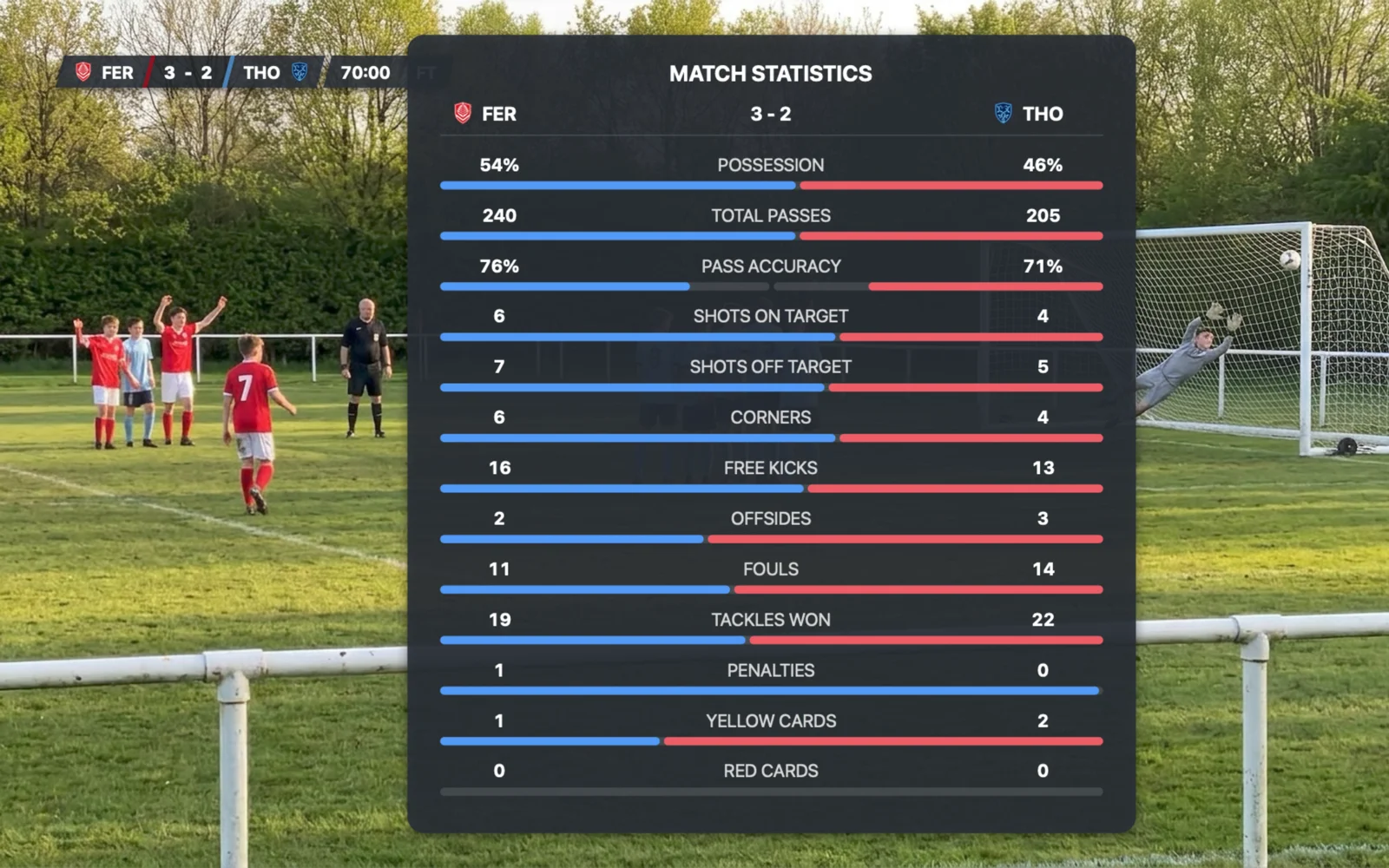
  • Show a match statistics table in the video, at half time or full time.
  • A possession indicator showing which team has the ball.
  • Short graphics for shots, corners, free kicks and offsides.
The match statistics table over the video at full time, FER 3, THO 2, with possession, passes, shots, corners, fouls and other rows for both teams

Also in Sideline Director

Free and Pro

Sideline Director is free to download. Pro is a one-time purchase on the Mac App Store, with no subscription.

Free

  • The scorebug and the match clock
  • Goals, cards, substitutions and penalty shootouts, with their graphics
  • Teams, line-ups and title cards
  • Highlights and every export option

Videos made with Free show a small Sideline Director credit.

Pro One-time purchase

  • Everything in Free
  • Match analysis: passes, possession, shots, tackles, fouls and set pieces
  • Match statistics and analysis graphics in your videos
  • Videos without the Sideline Director credit

Private by design

Your videos, projects and player photos stay on your Mac. The Privacy Policy has the details.

  • No account to create
  • Nothing is uploaded
  • No tracking in the app
  • Works without an internet connection

Questions

Does it find the goals automatically?

No. You add each goal, card and substitution as you watch, which takes a few seconds each. That’s why it works with any video filmed on a phone, and why your video never has to be uploaded anywhere.

Which videos can I use?

Video from an iPhone or any other camera, in a format your Mac plays, such as MOV or MP4.

My recording starts after kick-off. Does that matter?

No. Set the score and the match clock at the start of your footage, or at any point in it, and the scorebug carries on from there.

Can I change the graphics after adding the goals and cards?

Yes. Change the style, the colours or the events at any time and export again.

Is it only for football?

For now, yes. Sideline Director supports football (soccer), and we plan to add more sports in the future.

What do I need to run it?

A Mac with Apple silicon (M1 or later) and macOS 15 Sequoia or later.

How much does it cost?

Sideline Director is free to download from the Mac App Store. Pro is a one-time purchase, with no subscription.

Sideline Director for Mac

Coming soon to the Mac App Store Free to download. Requires a Mac with Apple silicon and macOS 15 or later.